Stock Addressing · Odoo 19.0
What the messages mean
Every scanner message stops a mistake before it reaches your stock records. Nothing is half-done: either one scan is refused, or the whole validation is. Below are the most common messages, what they mean and what to do.
While scanning
«… is not a final location — it contains other locations. Scan a bin or the forward area.»
You scanned a rack, a zone or the warehouse root as the place to put the item. Scan the label of the bin itself, not the rack.
«… has no address. Scan a bin or the forward area.»
The scanned place (a packing table, for example) is not part of addressed storage. Scan a bin’s label, or ask a manager to give that place a role.
«Please scan destination location for … before scanning other product»
The previous item has no place yet. Scan where you put it first, then move on to the next item.
«Not the usual place»
This item has a home bin in the same zone, and you are putting it somewhere else. Press «Yes, put it here» if you mean it, or «No — I will scan another place» and scan the home bin.
«Answer the question on the screen first.»
You scanned while a question was open on the screen. Answer it, then scan again.
«This product doesn’t exist.»
The barcode belongs to no item and no place of this warehouse. Check the label; you can type the code by tapping the scan bar.
«The item is already in … Scan the next item.»
You scanned again the place you just put the item into — the scanner does not take it as the new source. Scan the next item; to take from that place, scan another place first.
On validation
On the scanner a refusal appears in a red banner at the top, with an error sound. The lines of the transfer stay as they were.
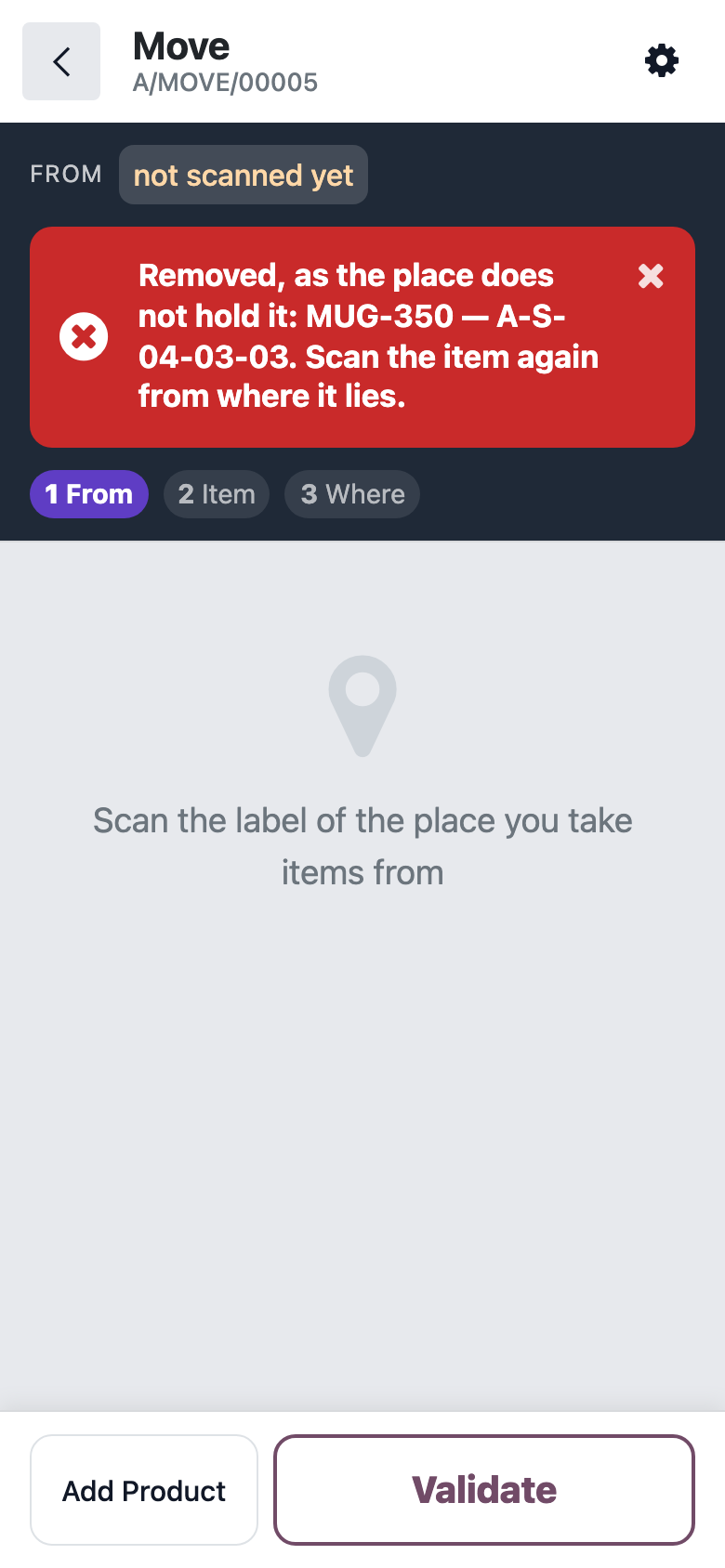
«Location … does not hold that much …: after validation it would be -1. Nothing was validated.»
The item was taken from a different place than the one scanned. The scanner removes the line from that place and asks you to scan the item again: find where it really lies, scan that place, then the item and the bin you put it into.
«… the destination is …, a zone or a rack, not a bin.»
A rack or a zone ended up as the destination. Scan the bin’s label.
«… the forward area … has sections.»
The forward area is split into sections, but you gave it as a whole. Scan the section where you put the item.
«… reserved for …, … free. Nothing was sent.»
Some of the items in that place are reserved for another transfer, such as a customer delivery. Move only the free ones, or remove the reservation from that transfer first.
«… was cancelled meanwhile. Close it and press «Prepare Put-Away» again.»
While the prepared put-away was open, its items were moved by hand or the transfer was cancelled. Close it and press «Basket and returns» again.