Stock Addressing · Odoo 19.0
Overview
Stock Addressing gives every item in your warehouse an address: a bin in the storage zone, the forward area, the hand-over basket or Returns. The scanner leads each task in three scans — from, item, where — and the warehouse refuses the mistakes that create phantom stock. The module runs on Odoo 19.
The problem it solves
In a standard Odoo warehouse, stock often sits “somewhere in the warehouse” with no exact place. A sale or a move takes it from wherever the system finds it, and the gap between the system and the shelf shows up only at the next inventory — when the cause can no longer be traced.
The module removes three common pains:
- Items without an address. A put-away cannot end in “No address”: a received item goes into a specific bin, not a general pile.
- Phantom stock. A move cannot take more from a place than it holds. The mistake is stopped at the scan, not hunted down a month later.
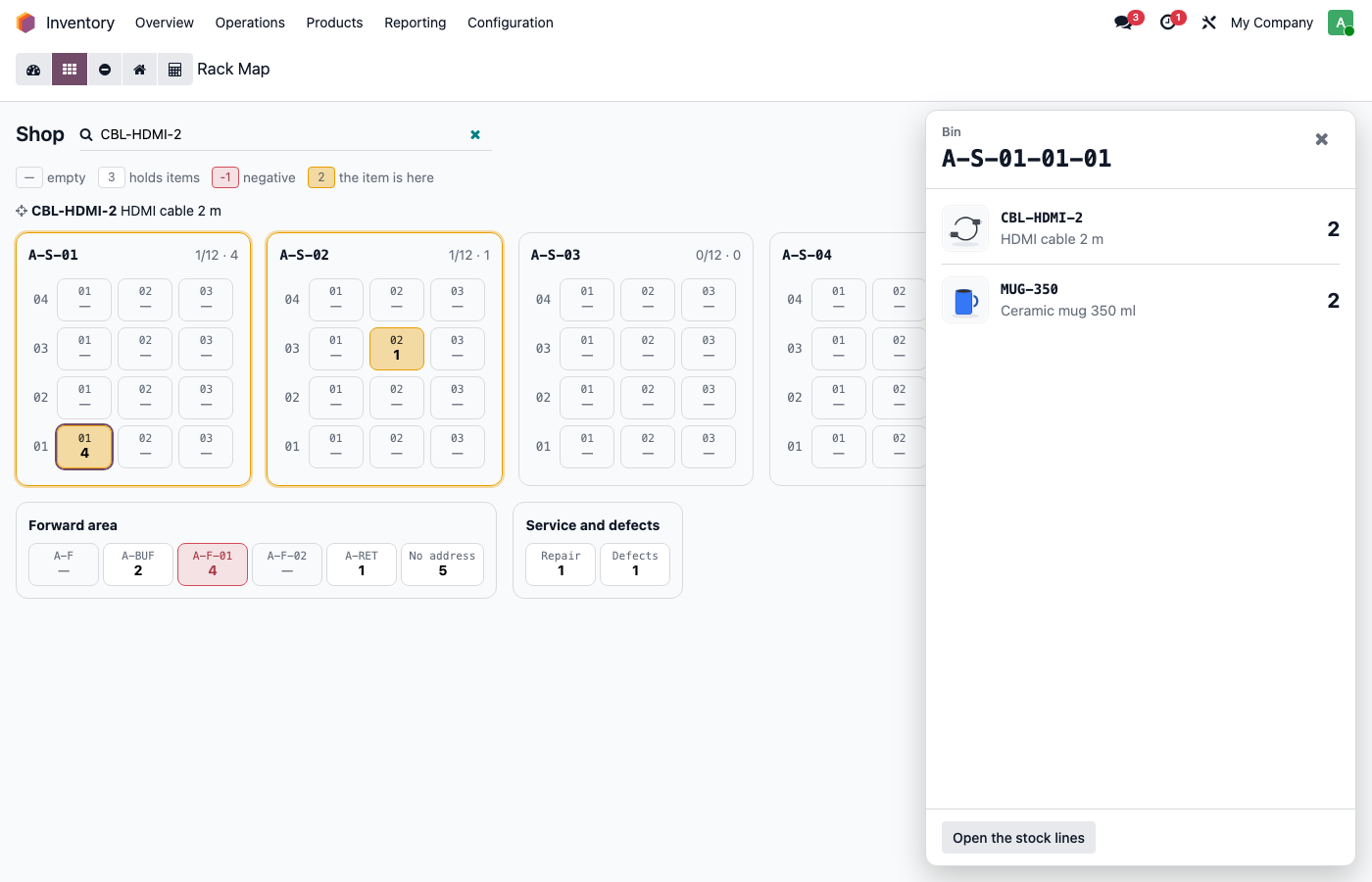
- Finding things. The Rack Map draws every rack as it stands and highlights the bins that hold the item you search for.
Who it is for
The module suits shops and warehouses where goods sit on racks and shelves and are handed out from a sales floor or a pick area. It helps the owner who needs accurate stock, the warehouse manager who sees each morning where work is waiting, and the stock keepers whom the scanner guides step by step.
What the set includes
The set has three parts. The last two install themselves as soon as you have the matching Odoo app.
- The main module — needs the Inventory app. It brings addresses, rules, labels, the daily routine and the warehouse board.
- Scanner — needs the Barcode app, available only in Odoo Enterprise. It brings the scanner screens for receiving, moving, basket put-away and counting.
- Point of Sale — needs Point of Sale. The till sells from the forward area, and customer returns go to Returns.
What the warehouse gets every day
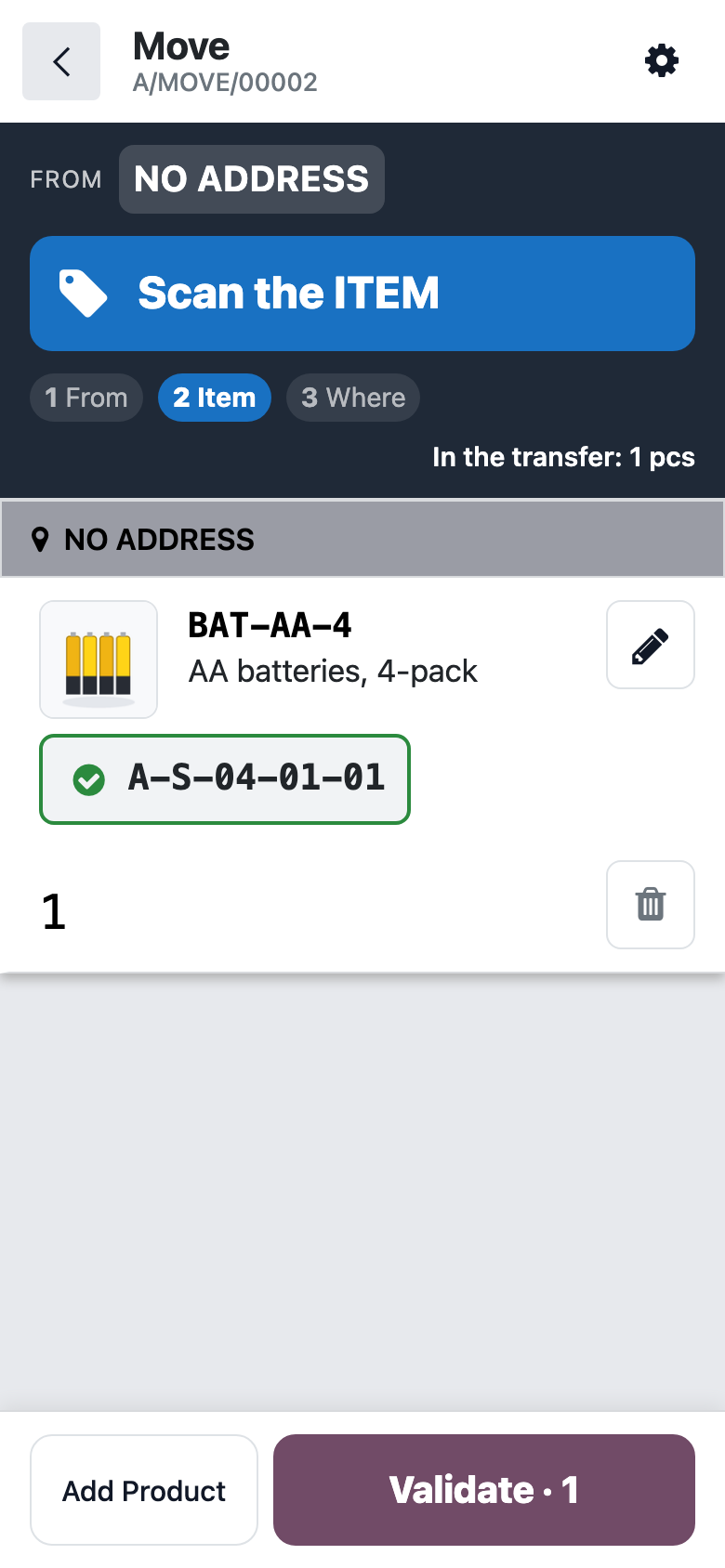
- Three scans per task. Scan where you take from → scan the item → scan where you put it, then Validate. A wrong place is refused on the spot.
- Home bins. The bin an item is put into becomes its home. Next time the scanner suggests it and asks before you put the item into another bin of the same zone.
- Basket and returns put-away. One press of Prepare Put-Away creates a transfer with every item’s home bin already filled in.
- Reminders. The responsible people are reminded to put the basket away at the hours you choose.
- Night reconcile of forward-area negatives. If an item was sold on the floor while the system had none there, at night it is moved from the only bin that holds it. Anything unclear goes to a list for a person to check.
- To count today. A few places to count each day, the riskiest first.
- Labels. Address Labels (80×50) print rack by rack as one PDF, with no extra software.
The warehouse board
A few minutes in the morning are enough: the board shows what is waiting. A tile is grey when there is nothing to do, amber or red when there is. A click opens its list.
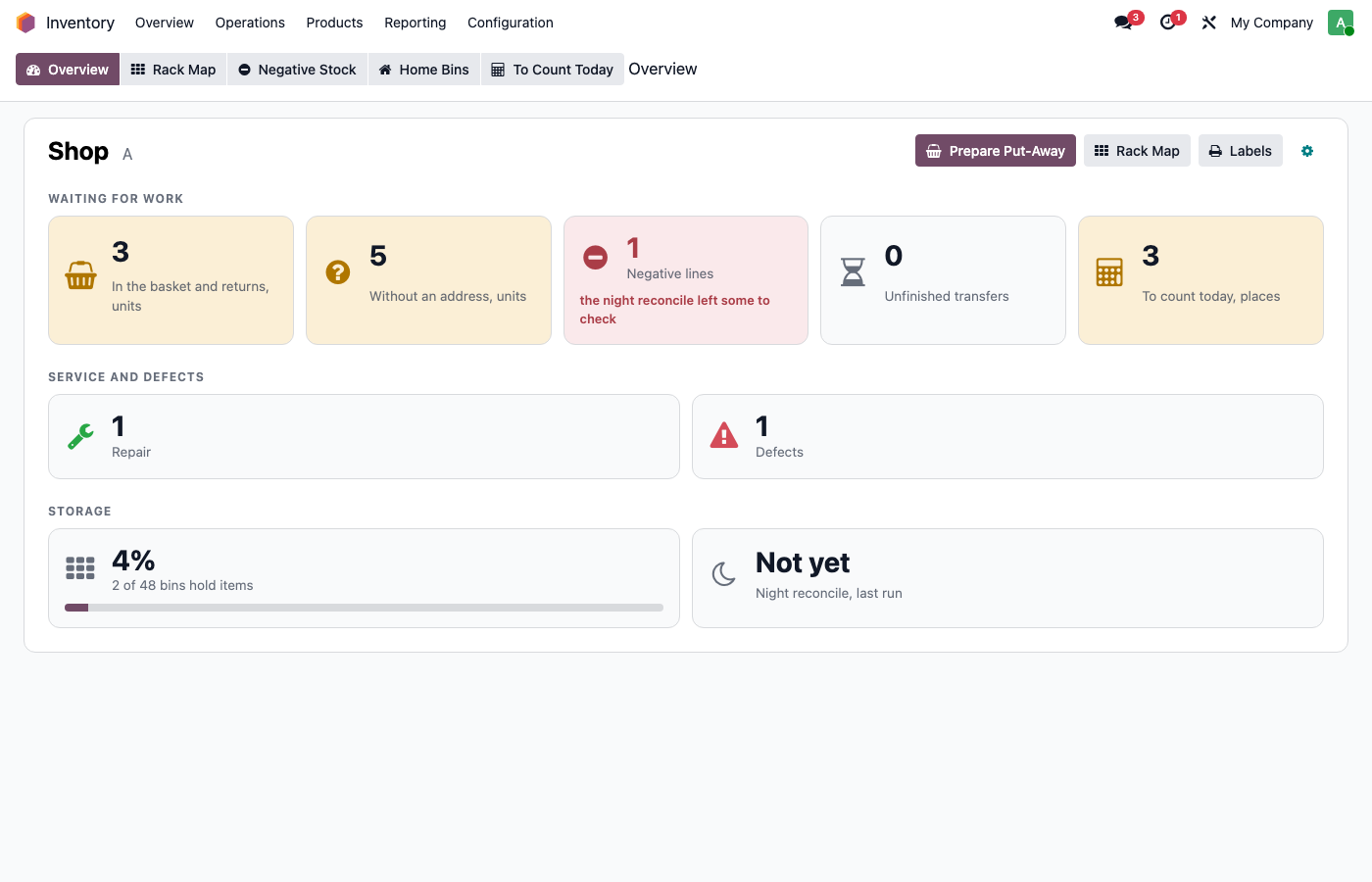
It covers the basket and returns, items without an address, negative lines, unfinished transfers, service and defects, bin occupancy and the last night reconcile.
Why it works this way
Preventing a warehouse mistake is cheaper than finding it. So the rules act at the moment of the action: the scanner will not let you take stock that is not there or put an item “nowhere”. Where the system cannot decide on its own, it does not guess — it hands the question to a person.